Natural Language Spec Query
The problem
During estimation, your team has dozens of quick questions: "What are the concrete PSI requirements for footings?" "What fire-rated assemblies are required?" "What type of insulation is specified?" Each question means searching through hundreds of pages.
How TeraContext.AI handles it
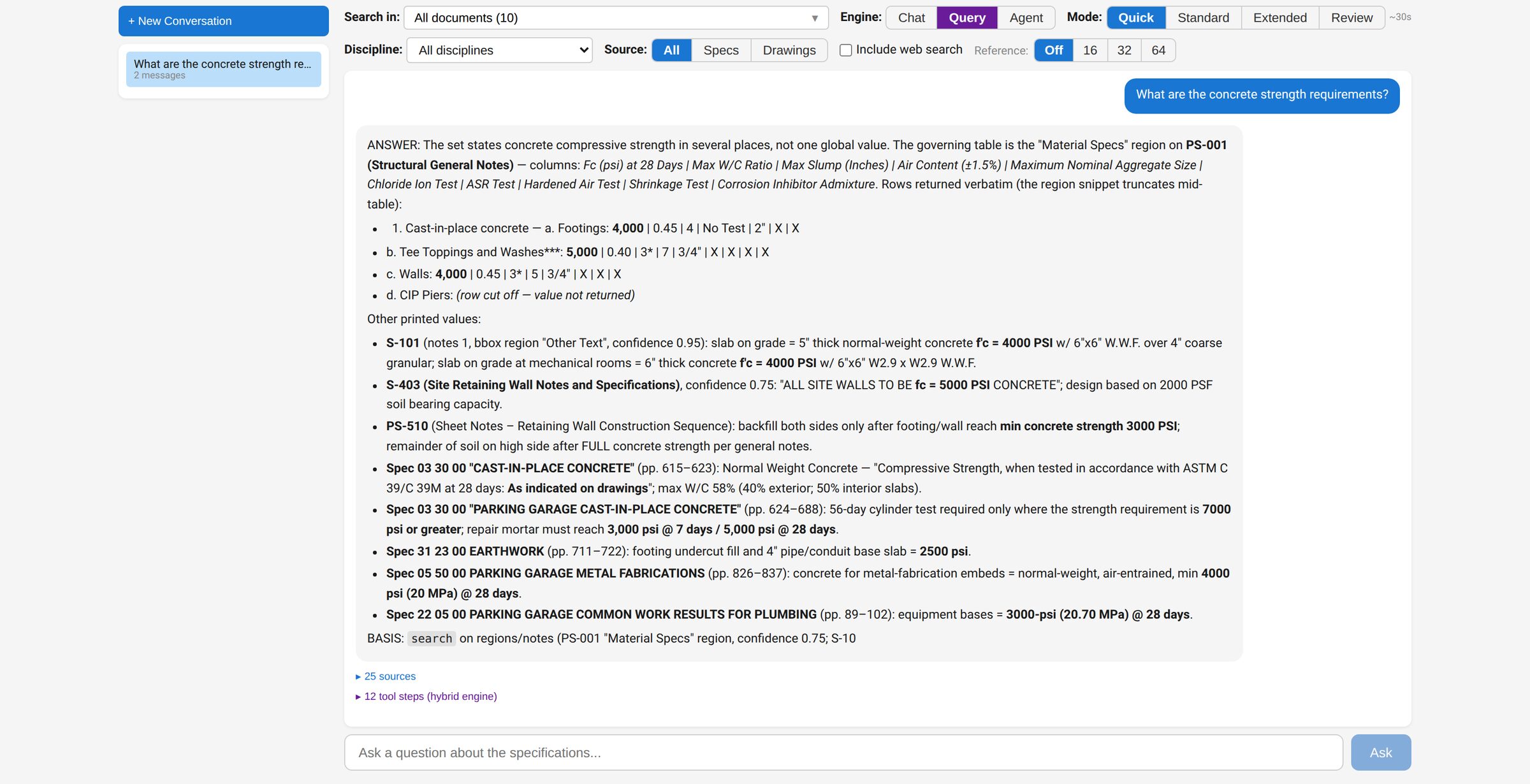
- Open the Spec/Drawing Query tab and ask a question in plain English. Conversations are saved, so you can come back to a thread.
- Pick an answer mode that trades speed for depth: Quick (about 30 seconds) for lookups, Standard (about 60 seconds) for most requirements questions, Extended (about 2 minutes) for exhaustive extraction across many sections, or Review (3–4 minutes) for deep constructability analysis of a single question.
- Scope the search to specs, drawings, or both — and to a single discipline if you want.
- Every answer comes with source citations — spec section codes, drawing numbers, and page references — so you can check the original.
The result
Answers with citations instead of manual page-flipping. Your estimators check the cited section or sheet instead of hunting for it.